Daily proration of prepayments / deferred income
Prorate prepayments and deferred income on a daily rather than monthly basis, with a business-wide default and per-item overrides.
Daily proration of prepayments / deferred income
In Briefcase Connect, you can now prorate prepayments and deferred income on a daily rather than monthly basis, for more accurate monthly reporting. Set a default for the whole business, or override it on any individual item.
Setting the default proration
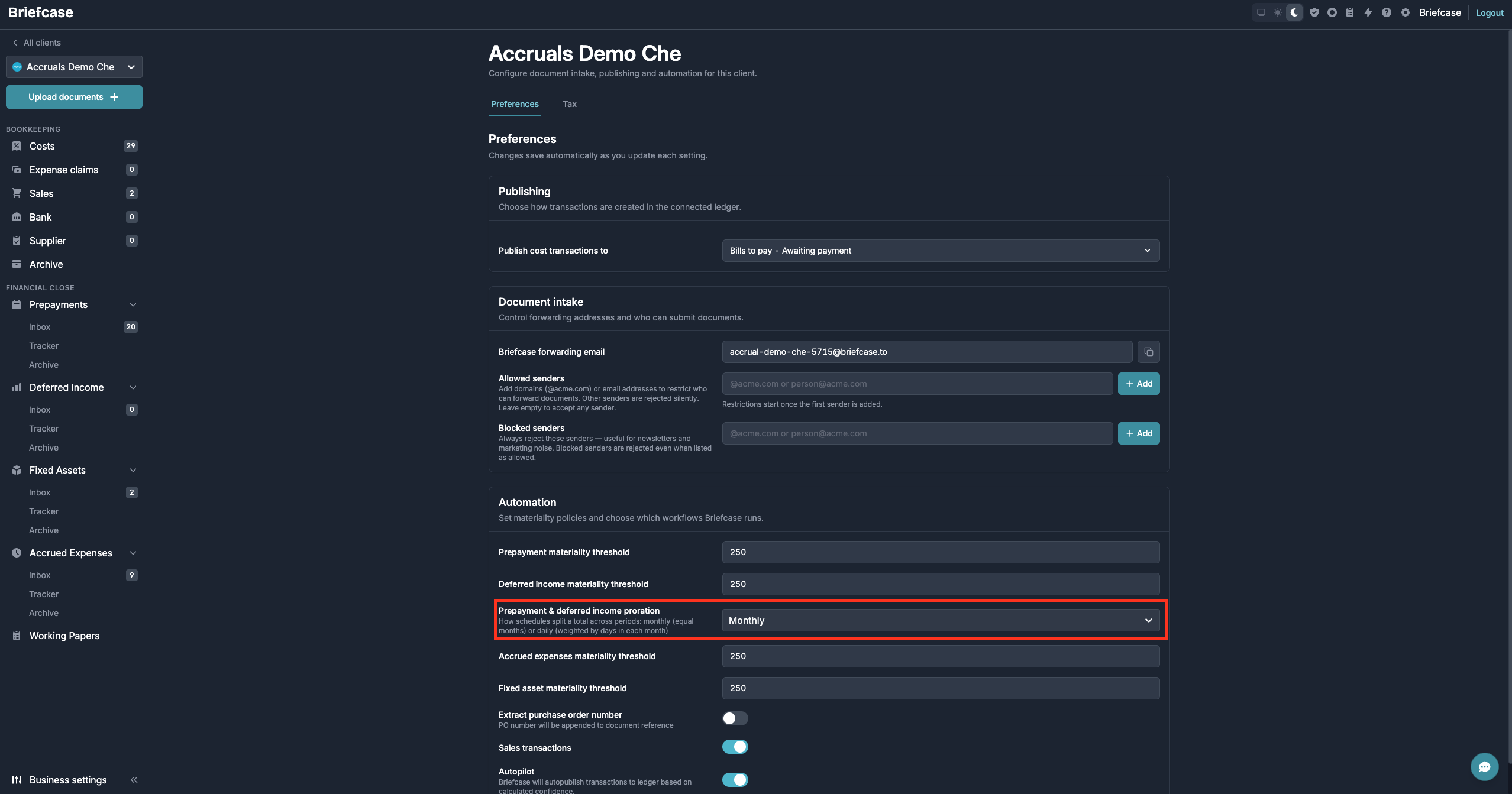
This sets how proration behaves for all new prepayments and deferred income across the business.
Go to Business Settings, scroll down to Automation, and use the “Prepayment & deferred income proration” dropdown to choose daily or monthly proration.
Overriding the default proration
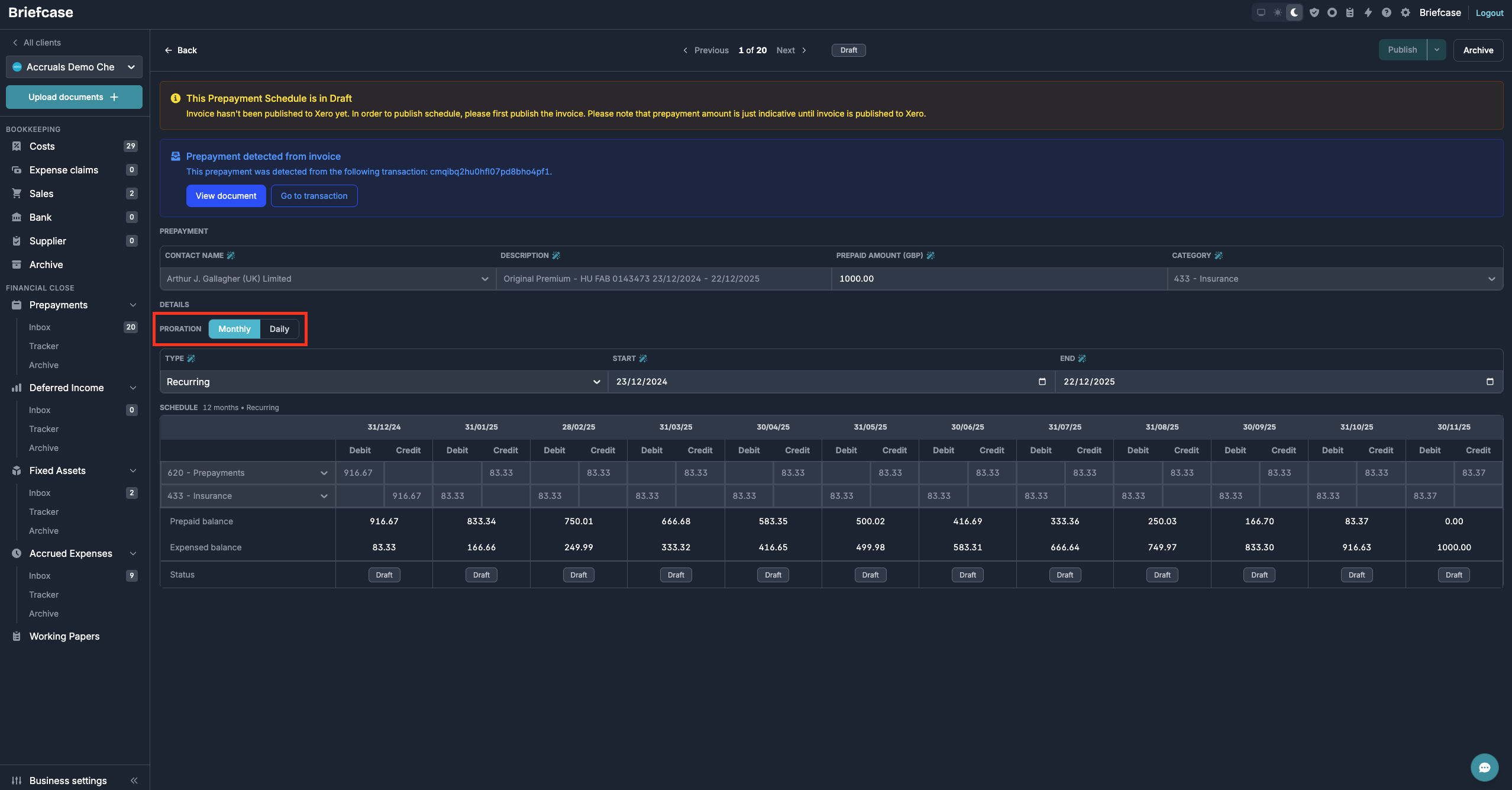
You can override the default on any individual item.
Open a prepayment or deferred income item and flip its “Proration” toggle to switch between daily and monthly proration.
Other things that we shipped
- Briefcase now extracts up to 40 distinct line items per transaction, up from 20
- You can now manually mark a transaction as a fixed asset on the transaction page
- The fixed asset register is now available in Briefcase Ledger