Mileage claims, prepayments and deferred income
Add and track employee mileage claims on web and WhatsApp, track prepayments and deferred income with automatically drafted amortisation schedules in Briefcase Ledger, and set opening balances for your bank accounts.
Mileage claim support
You can now add and track employee mileage claims directly in Briefcase, so business journeys are captured against the right driver and vehicle. You can create a mileage claim on both web and WhatsApp.
On web:
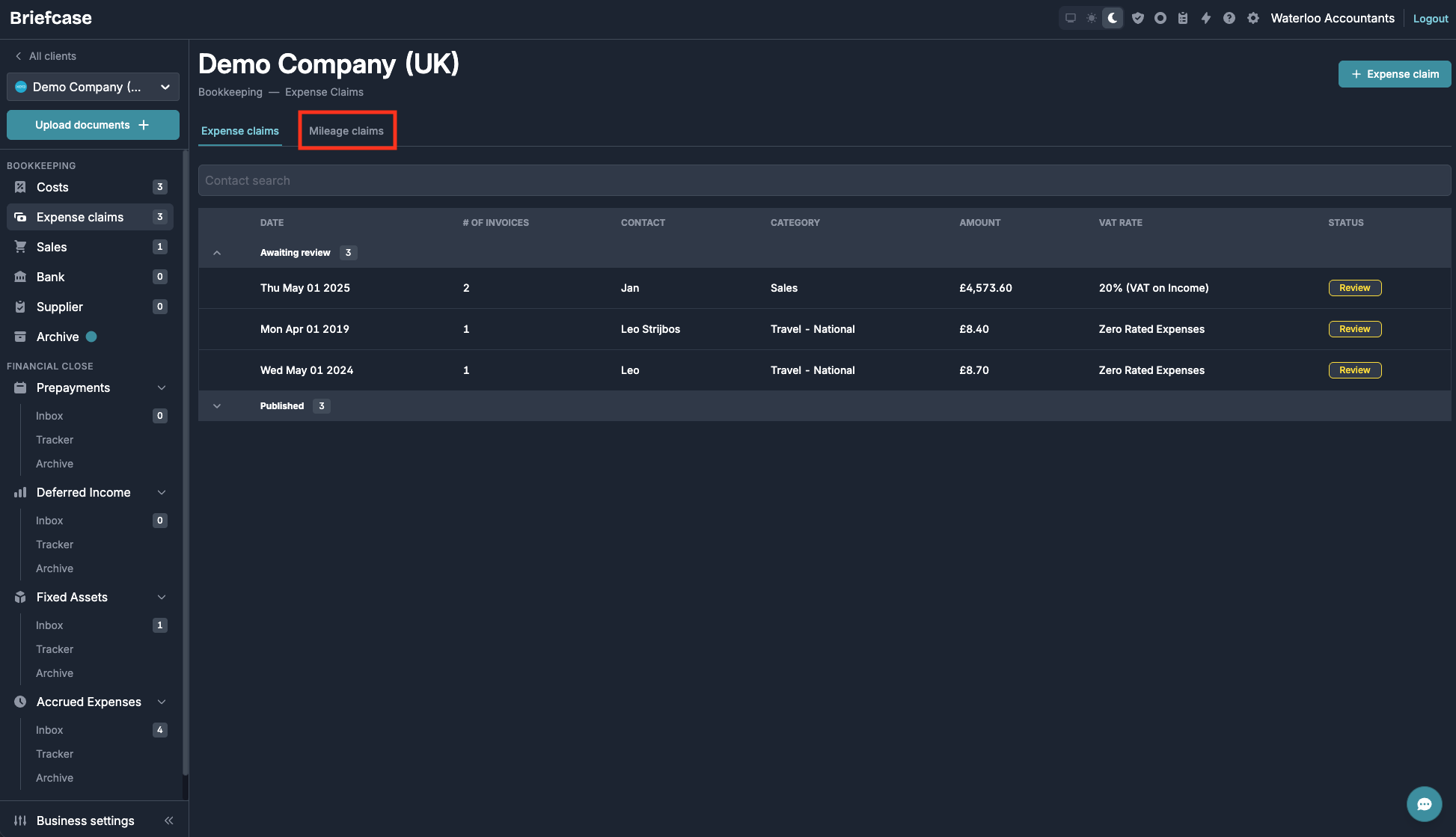
- Go to the Expense Claims page and open the Mileage Claims tab:
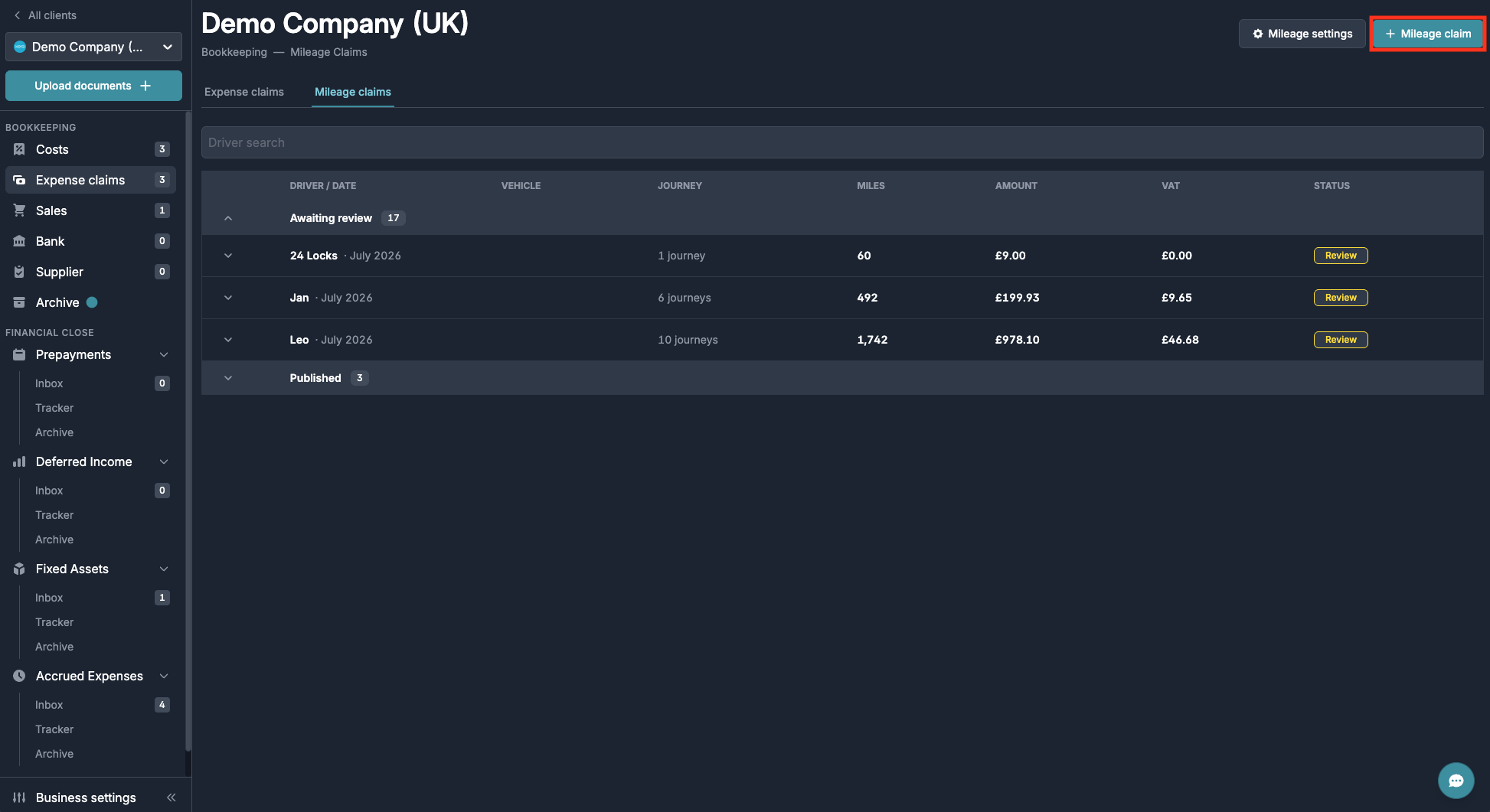
- Click “Mileage claim” in the top right:
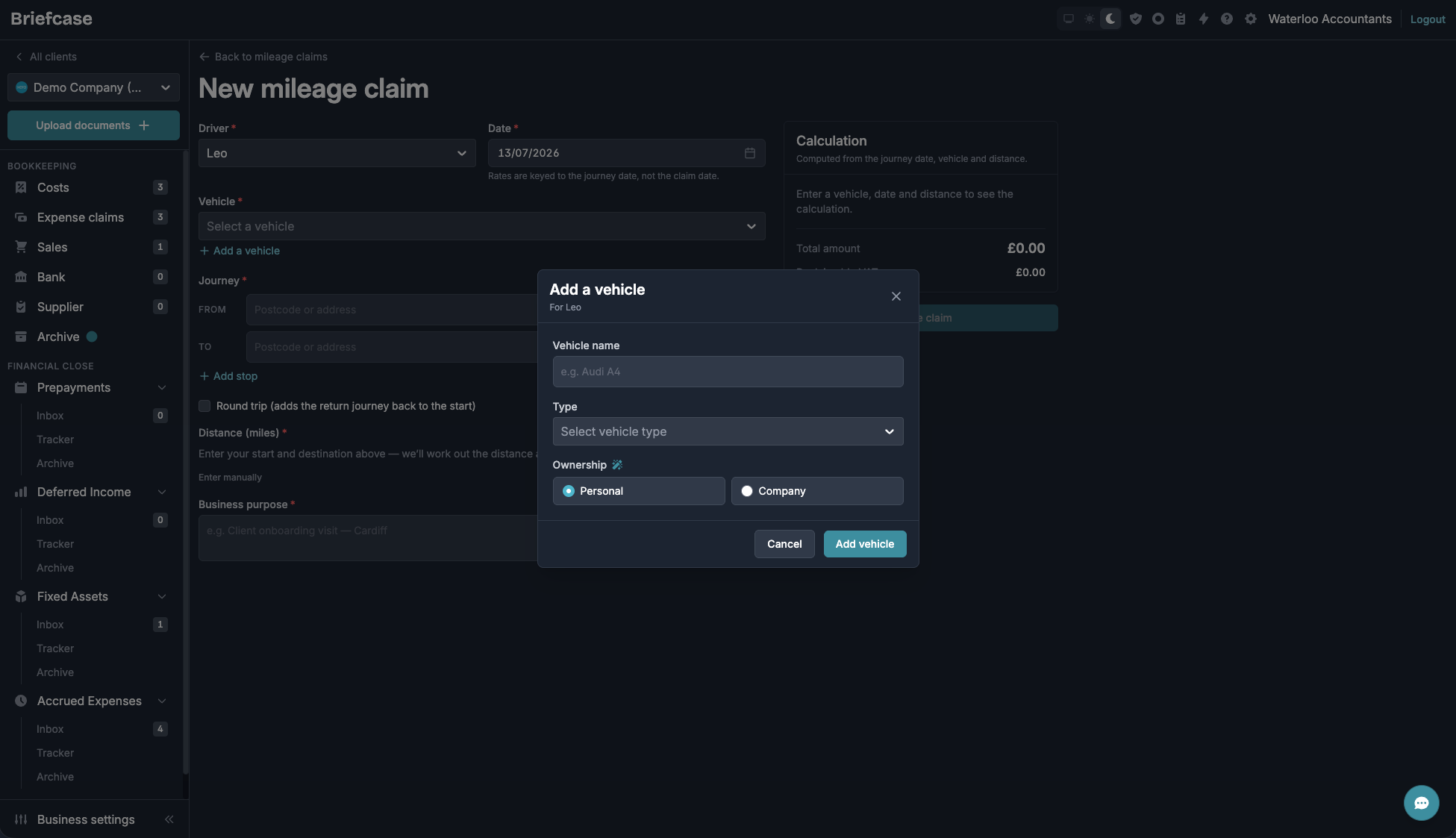
- Select a driver and the vehicle they were driving. To add a new vehicle, click “Add a vehicle” and give it an identifiable name:
- Fill in the rest of the claim details and save.
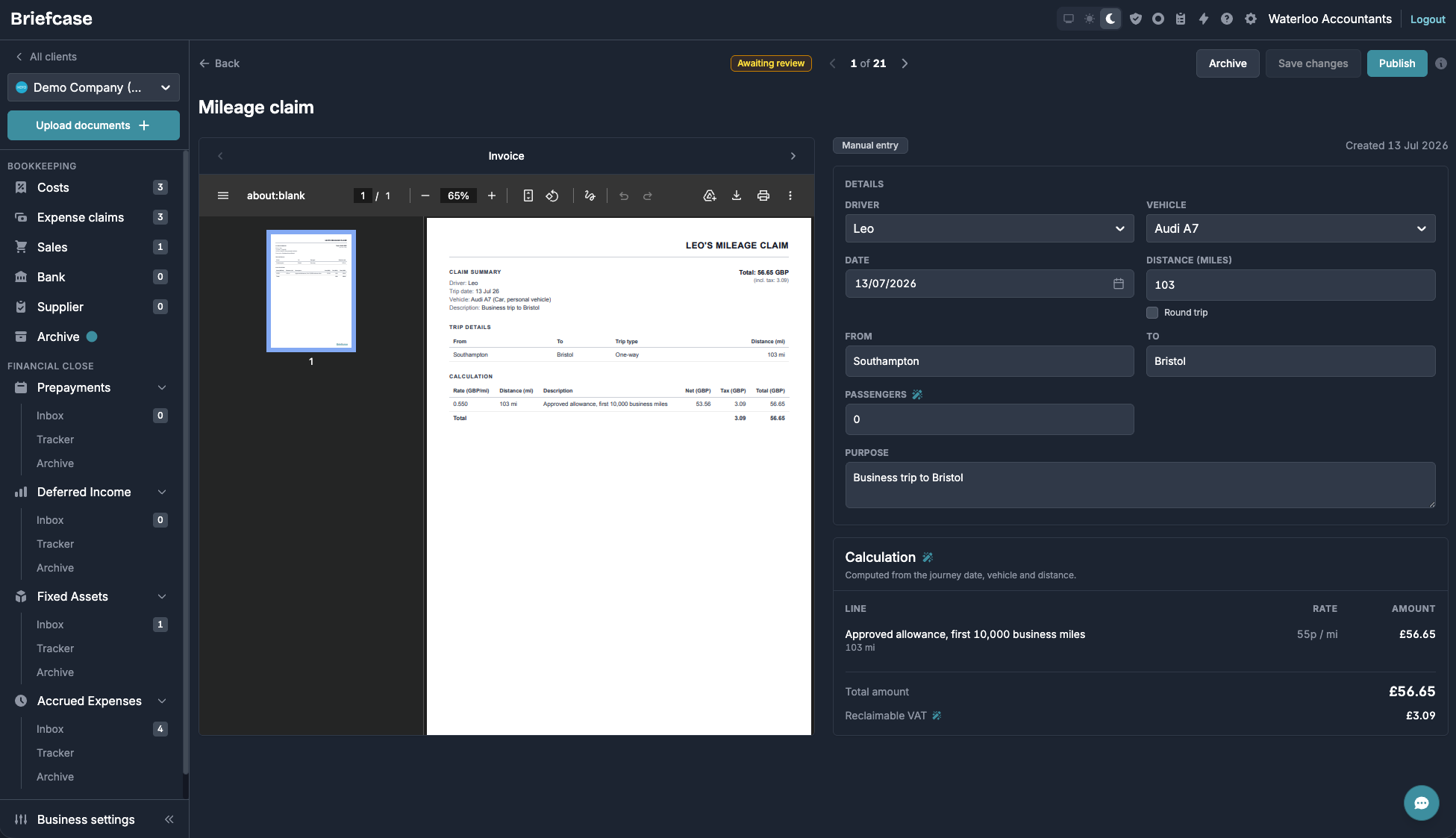
- Back on the Mileage Claims tab, click a claim to publish or archive it:
On WhatsApp:
- Message Briefcase the claim details — for example: “Mileage claim for Jane, London to Manchester, 220 miles, business meeting with John”.
- Briefcase classifies the message as a mileage claim. Click “Complete mileage claim” to fill in the remaining details and submit it:

- If the message isn’t classified as a mileage claim, click “Make changes”, select the organisation, then click “Log a mileage claim instead”:
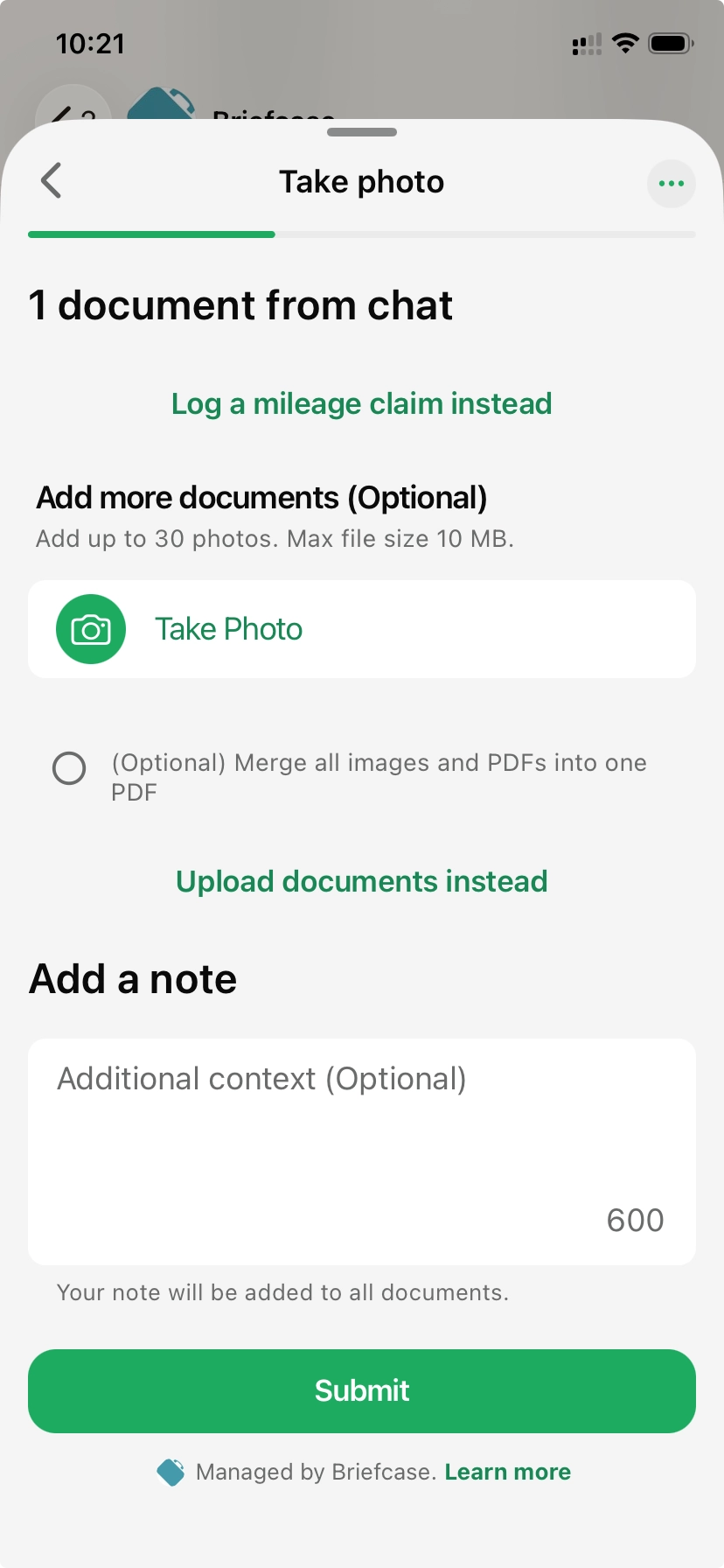
“💡 You don’t need a receipt or photo for mileage claims on WhatsApp — just describe the trip and Briefcase does the rest.”
Prepayments + Deferred income support in Briefcase Ledger
In Briefcase Ledger, you can now track prepayments and deferred income. Briefcase automatically detects recurring and one-off schedules from your documents and drafts the amortisation schedule for you — for anything above your firm’s materiality threshold.
Posting a schedule to the ledger
Detected schedules start as drafts. As soon as you approve the invoice or reconcile its payment, the schedule becomes ready to review, with amounts aligned to exactly what was posted to the ledger. Once you publish it, Briefcase posts the release journals either monthly or all at once.

Bulk importing schedules
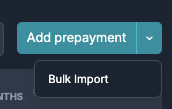
Migrating clients mid-year? You can also bulk-import existing prepayment and deferred income schedules from a CSV in the Inbox tab. Imported schedules land in review, ready to check and publish.
Tracking your schedules
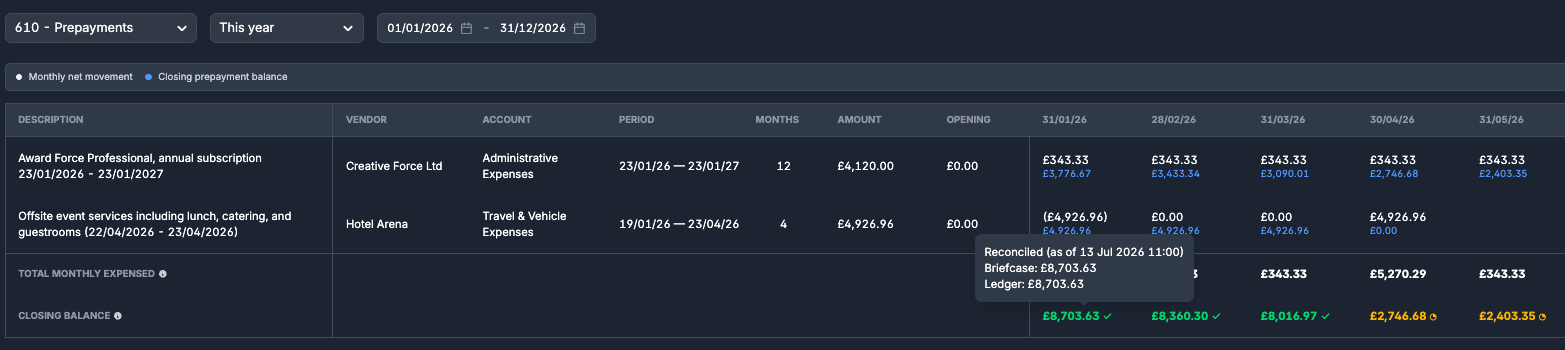
The new tracker shows every schedule in one place: what’s been released, what’s still on the balance sheet, and what’s coming in future periods. Each schedule reconciles against what has actually been posted to the ledger, so your prepayment and deferred income balances always tie back to the GL, month by month.
Set up opening balance for bank account in Briefcase Ledger
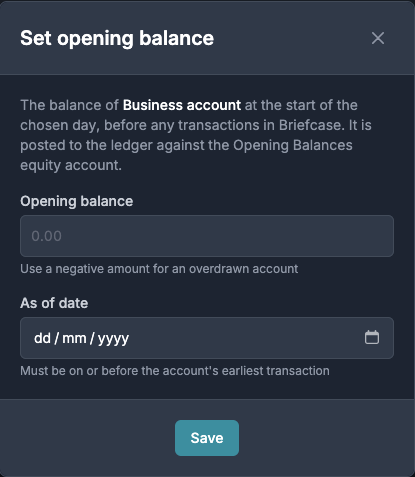
In Briefcase Ledger, you can now set an opening balance both when adding a new bank account and for existing accounts.
To set an opening balance, click the “Set opening balance” (scales) icon, then fill in the details:
Other things that we shipped
- You can now add bank transactions manually to the bank feed in Briefcase Ledger.