Aged reports in Briefcase Ledger
Aged creditors and aged debtors reports, an updated journal report, and a set of bank account improvements.
Aged reports in Briefcase Ledger
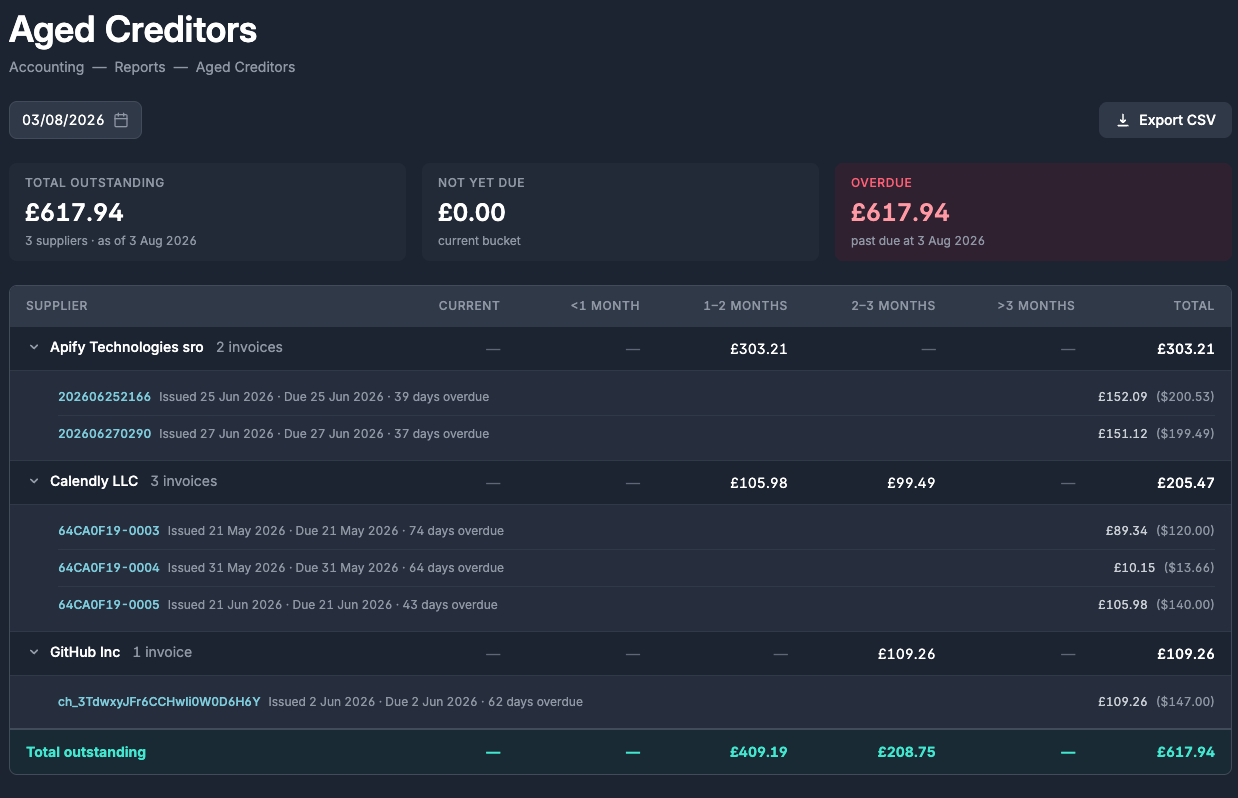
Briefcase Ledger now includes aged creditors and aged debtors reports. Find them under Accounting → Reports for any Briefcase Ledger client.
Invoices that are awaiting payment are grouped by supplier or customer and aged into due-date buckets - current, under a month, 1–2 months, 2–3 months, and over 3 months - with totals for what’s outstanding, what’s not yet due, and what’s overdue. Expand any supplier to see the individual invoices behind the balance, with issue and due dates, how overdue each one is, and if it’s been paid since the date you’re reporting. Foreign-currency invoices show their original amount alongside the GBP value. Click any invoice reference to jump straight to the underlying document.
Updated journal report
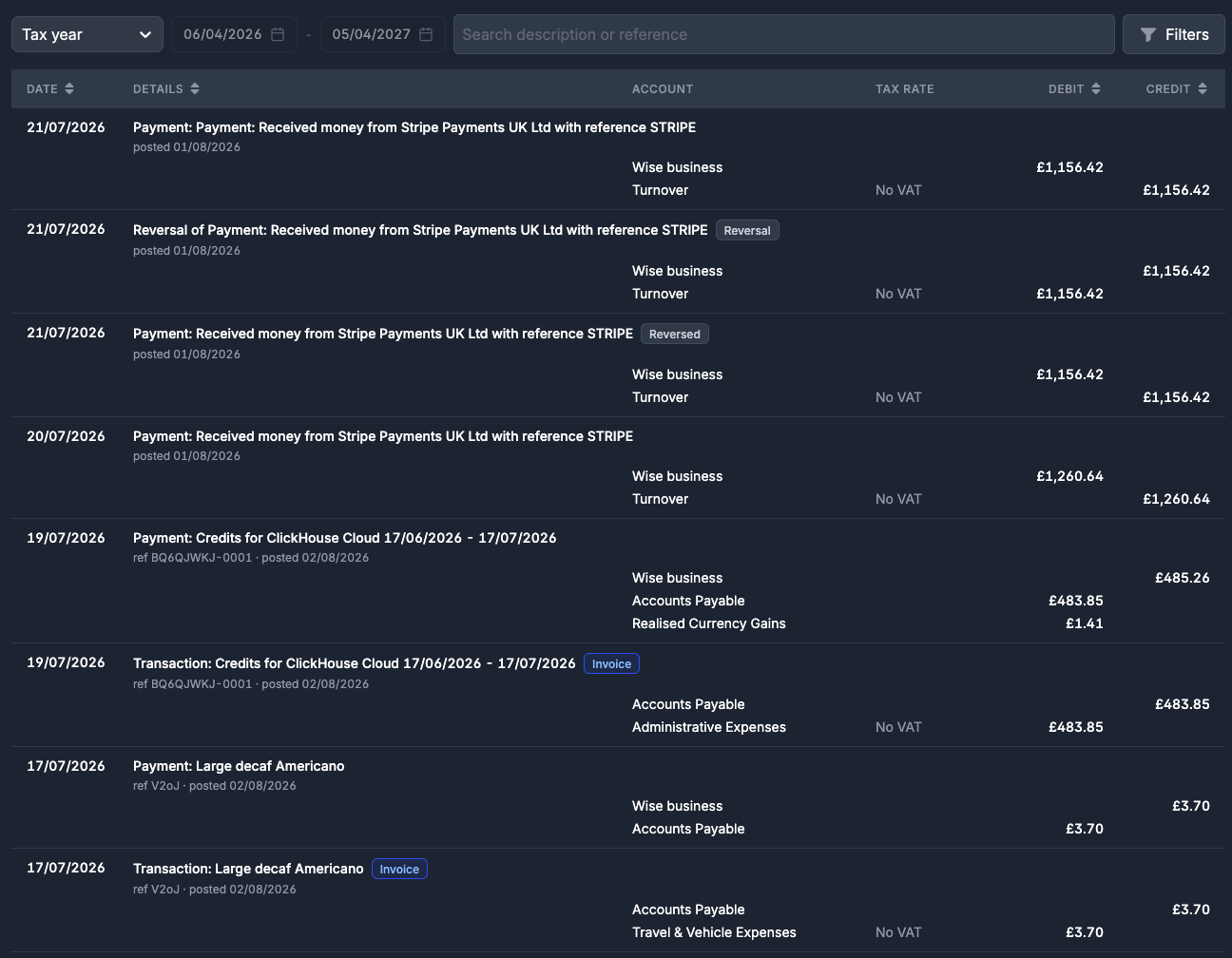
Journals under Accounting → General Ledger now show their full double entry inline, with badges showing where each journal came from: invoice, prepayment, depreciation, manual, and so on. Click a journal to jump to the document that created it, or click an account name to filter the report to that account. Totals for your current filter sit at the bottom with a balance check.
Other things that we shipped
- You can now rename bank accounts, and custom names are no longer overwritten by the bank feed
- Reconciled bank transactions can now be edited in place - change the category, tax rate, or description without reverting and republishing
- Bank account transactions can now be sorted by contact, category, or tax rate
- Bank account pages now show a running balance column against reconciled transactions