Introducing Working Papers
Complete your entire month-end, quarter-end or year-end close inside Briefcase, with no spreadsheets: post outstanding transactions and adjustments, reconcile every balance sheet account, and close the period.
Introducing Working Papers
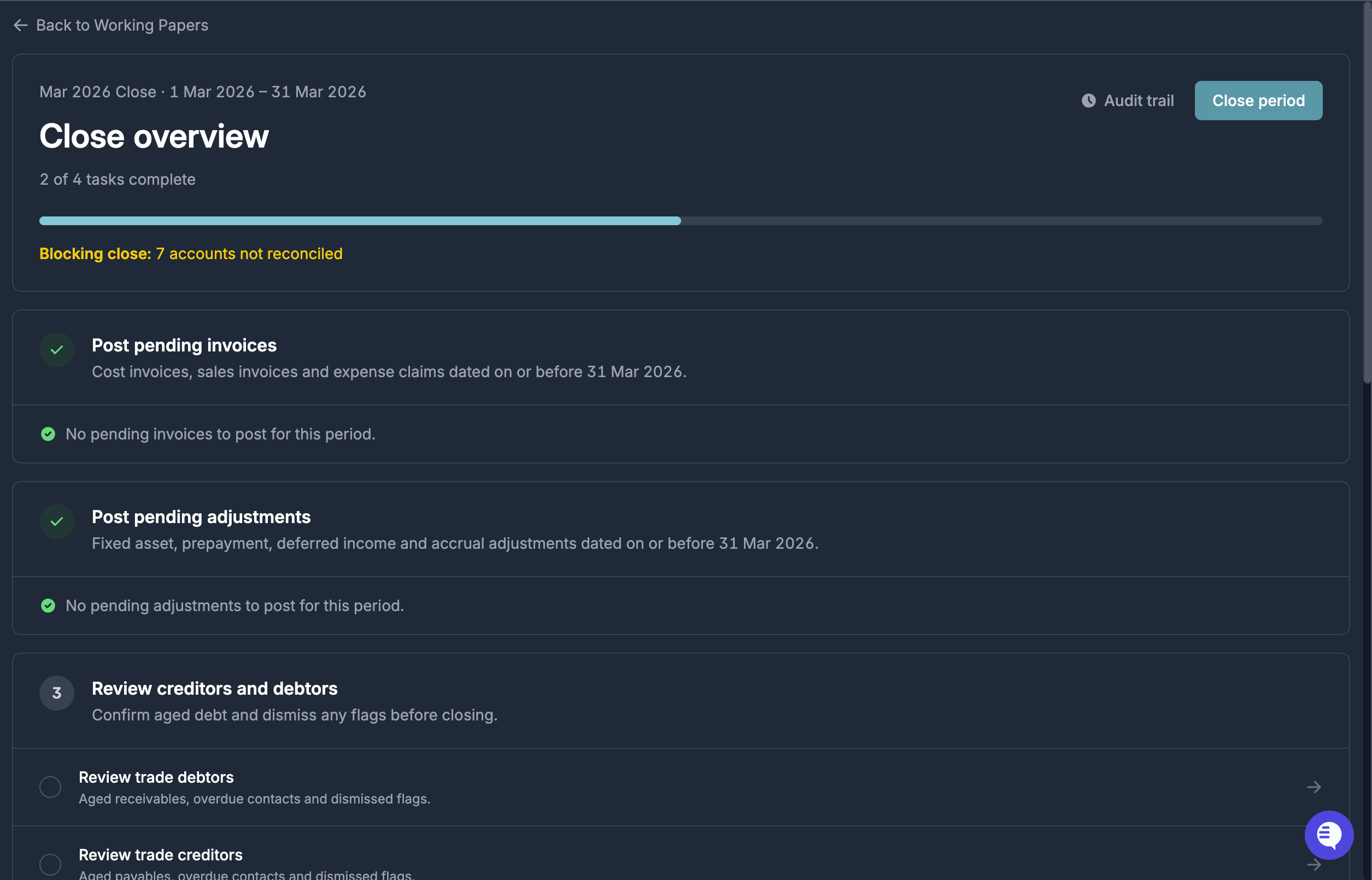
Working Papers is a new module that lets you complete your entire month-end, quarter-end or year-end close inside Briefcase, with no spreadsheets: post outstanding transactions and adjustments, reconcile every balance sheet account, and close the working paper.
Each balance sheet account is reconciled in the way that suits it: a schedule you build yourself, a schedule auto-populated from a Briefcase tracker (prepayments, deferred income, etc.), or an aged review of the underlying subledger for AP/AR. Once everything is reconciled, you close the period and Briefcase locks an immutable snapshot of the balance sheet.
Why it beats working papers in Excel
- Built-in auditability: every action is logged automatically — who did what, and when.
- Live Xero sync: trial balances flow straight from the ledger, so movements show up automatically. No exporting, no copy-paste, no stale data.
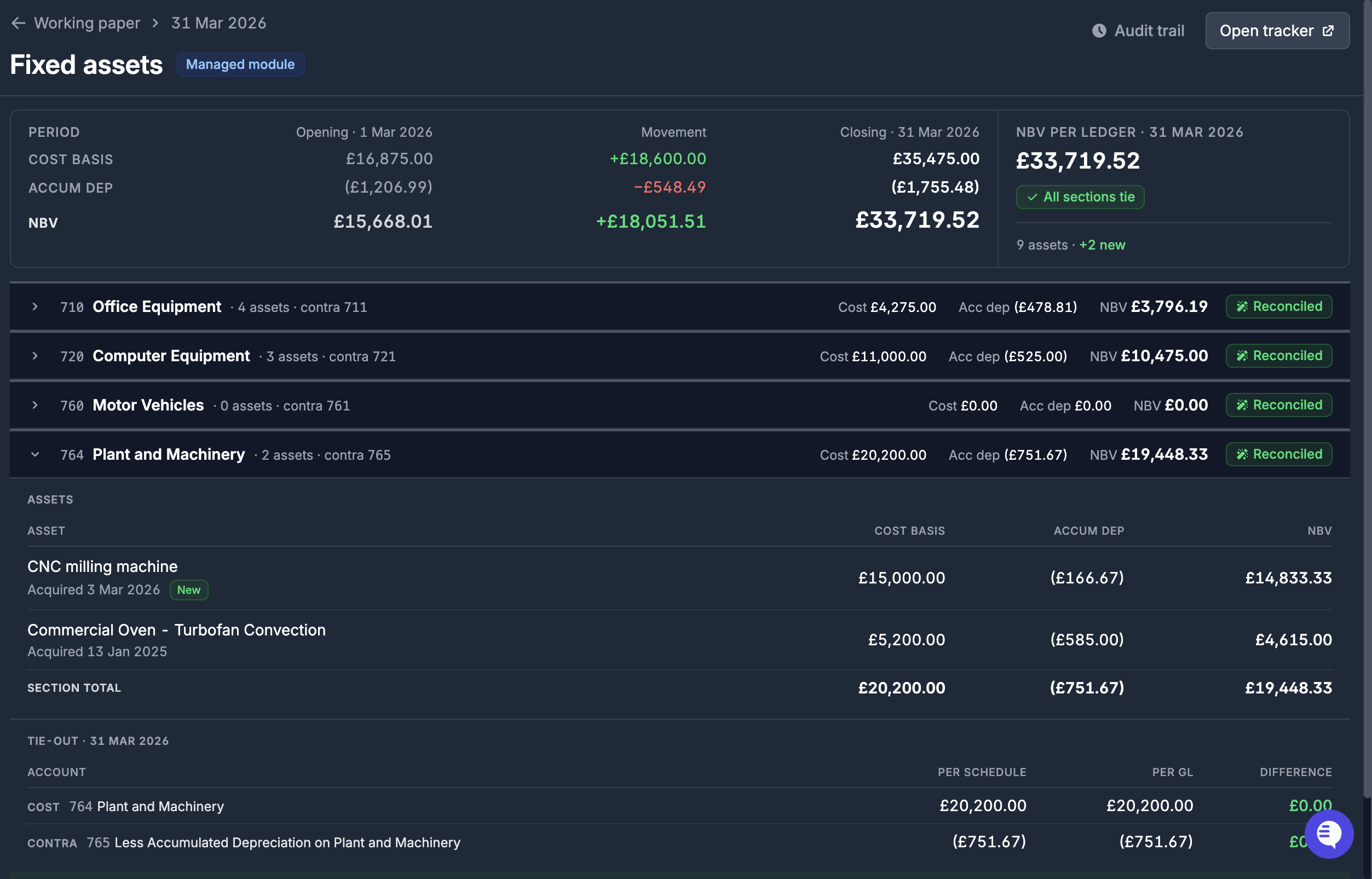
- Auto-reconciling accounts: prepayments, deferred income, accruals and fixed assets reconcile themselves straight from your existing Briefcase trackers.
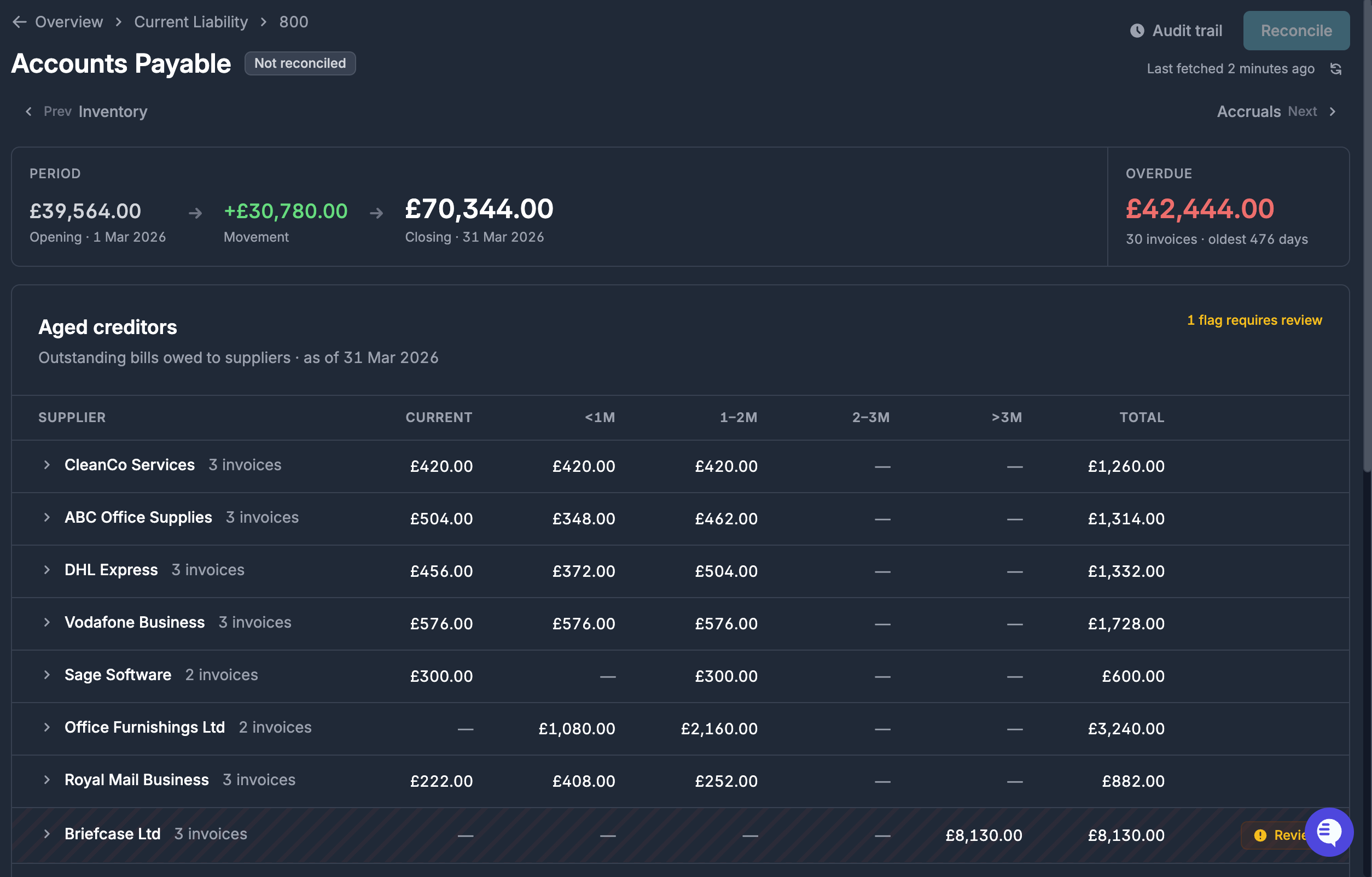
- AP/AR aged review built-in: aged debtors and creditors are pulled directly from Xero, with automatic flagging for review of invoices over 3 months old or balances in a negative position.
- Evidence as a first-class citizen: attach statements, invoices and confirmations directly to the balances they support.
- Every close, always there: prior working paper snapshots and the documents that supported them are all kept in one place, with easy access to reference them.
The workflow
Each working paper walks you through 5 steps before you can close it:
- Post pending invoices: Briefcase surfaces any unposted cost invoices, sales invoices and expense claims dated within the period.
- Post pending adjustments: Briefcase surfaces any prepayments, deferred income, accruals or fixed assets that are detected but not yet posted.
- Review creditors and debtors: an aged AP/AR breakdown with automatic flagging.
- Review fixed assets: your Briefcase fixed asset register reconciled automatically against the ledger.
- Reconcile the balance sheet accounts: build a supporting schedule for each remaining account, reconciling with a documented difference where necessary.
Permissions
Two new permissions have been added to let you separate working paper work:
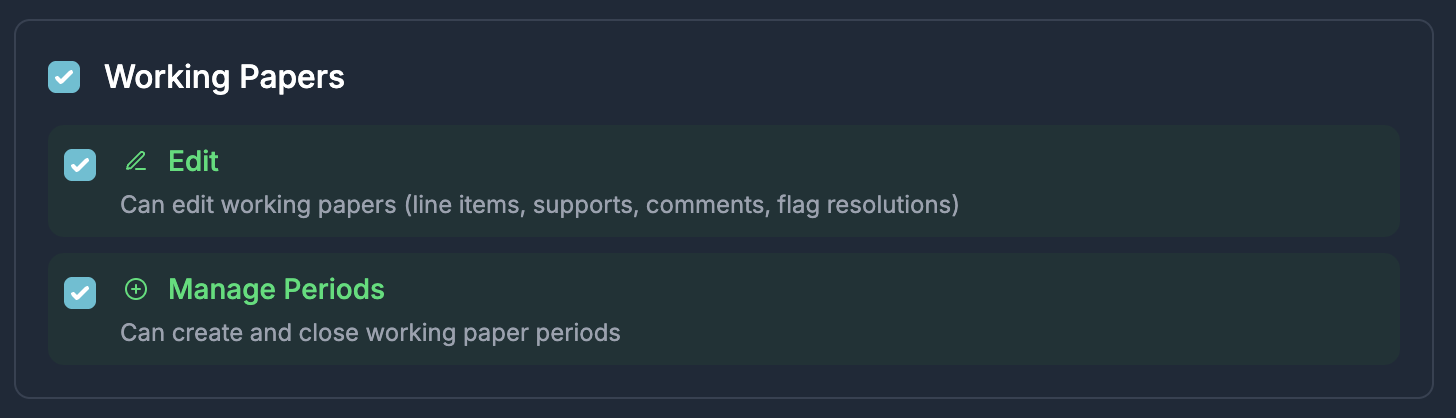
- Edit: allows a user to perform any actions within the working paper to prepare it to be closed. The traditional "preparer" role.
- Manage Periods: allows a user to create a new working paper and close it once all accounts are reconciled. The traditional "approver" role.
Working Papers is available now for Xero connections, and works best alongside Briefcase’s existing financial close modules. You’ll find it under Financial Close → Working Papers in the sidebar.
Full walkthrough: How does Briefcase Working Papers work?