Automatic expense claim processing
Uploading expense receipts just got a lot easier. Add a note like "expense" or "expense for Sam" when you upload an invoice, via the web, WhatsApp, or email, and Briefcase takes care of the rest.
Automatic expense claim processing
Uploading expense receipts just got a lot easier. Add a note like “expense” or “expense for Sam” when you upload an invoice, via the web, WhatsApp, or email, and Briefcase takes care of the rest.
Briefcase analyses your note, identifies it as an expense claim, extracts the claimant name if provided, and automatically assigns the transaction to the right monthly expense claim. No manual sorting required.
How it works
- Upload a receipt with a note mentioning “expense” (e.g. “expense for Sam”, “this is an expense”, or just “expense”).
- Briefcase processes the invoice as usual - extracting line items, categorising, and assigning VAT.
- Instead of autopublishing, Briefcase finds or creates a monthly expense claim for the claimant based on the invoice date.
- The transaction is linked to the expense claim, ready for you to review and publish.
If you write “expense for Sam”, Briefcase matches Sam to an existing contact or creates a new one. If you just write “expense” without naming anyone, the claim is assigned to the person who uploaded the receipt.
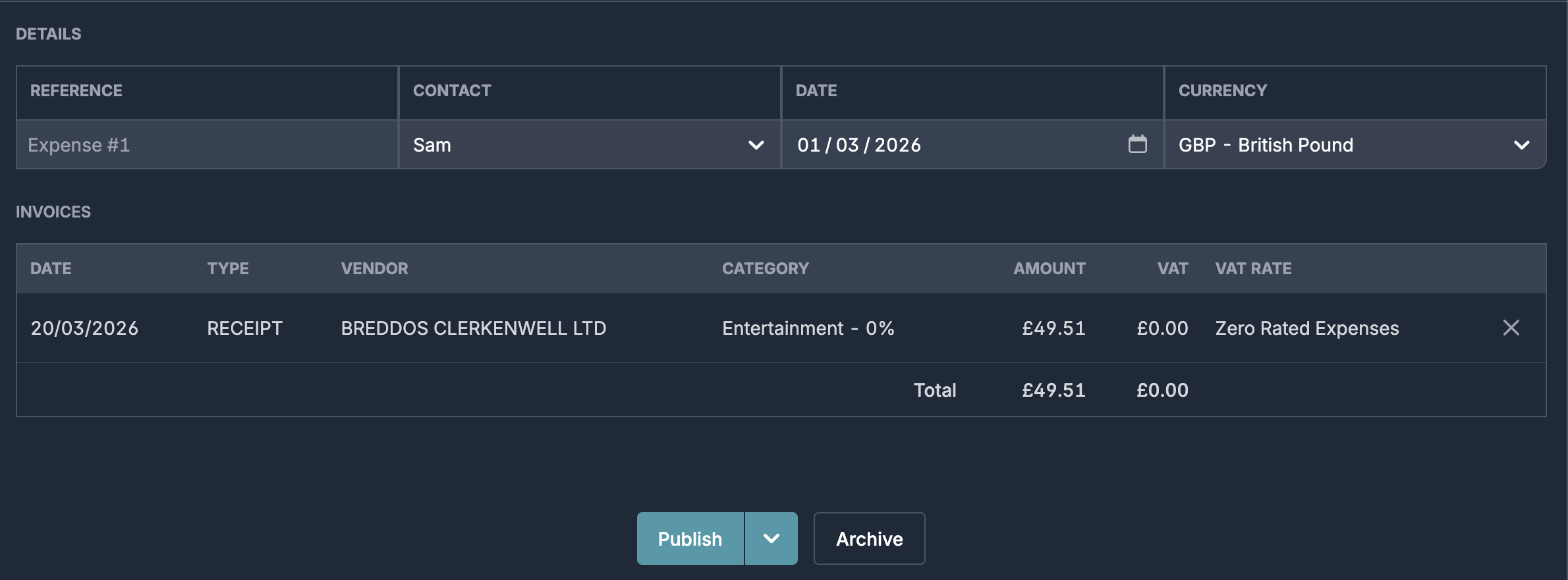
Expense claims are grouped by claimant and invoice month. If Sam uploads three receipts dated in March, they all land in the same “Sam – March 2026” expense claim. A receipt dated in April creates a new claim automatically.
The grouping is based on the invoice date, not the upload date, so a late submission still ends up in the correct month.