All Updates
Update
Manage user permissions and invite clients
Manage user permissions with Admin and User roles, plus invite clients to access their own accounts.
Manage User Permissions
Briefcase introduced user permissioning to manage access to client accounts with two roles: Admin and User.
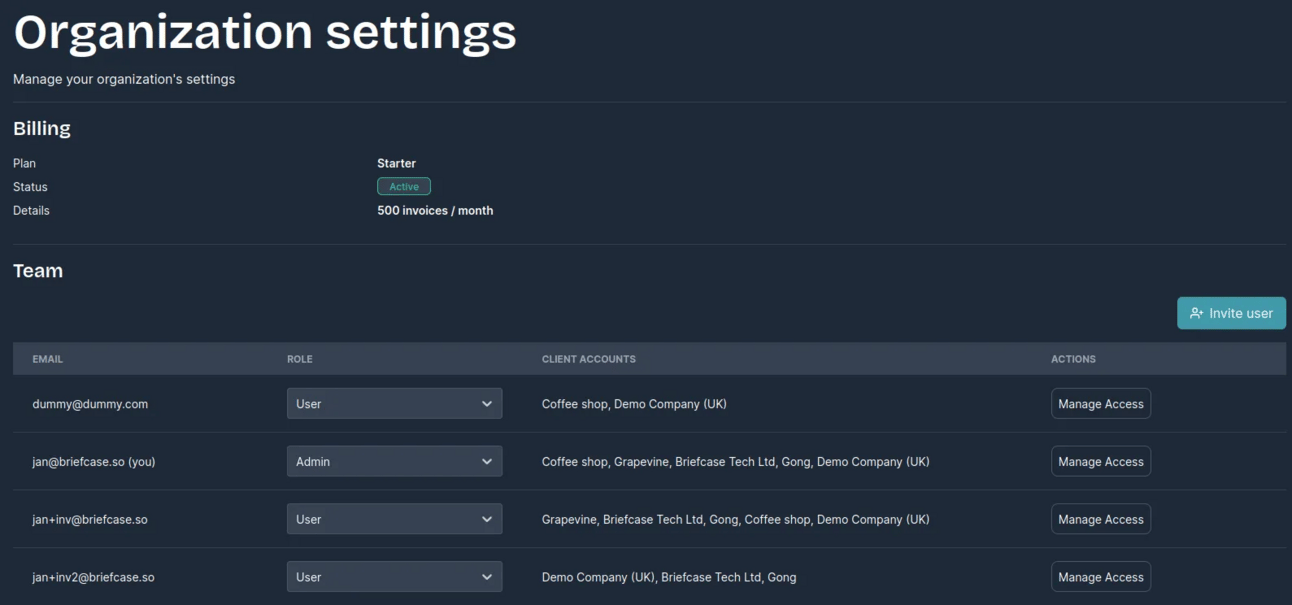
Admins can:
- Access all client accounts
- Assign user roles to existing users
- Assign account access to current or newly connected accounts
- Invite new users to the platform
Users can:
- Access assigned client accounts
- Invite new users to the platform
User permissions are managed through the Organisation Settings screen, accessible via the cog icon in the top-right corner next to your practice name.
Invite Clients to Briefcase
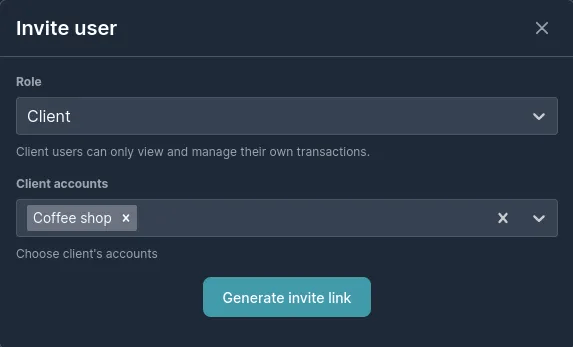
Clients managing their own bookkeeping can now be invited to Briefcase. After selecting client account(s) they need access to, users generate a unique invite link to share with clients, allowing them to create accounts and access transactions directly in Briefcase.
Invite links are valid for 7 days.